

By default, each visitor can use their votes once. If you want to run an ongoing poll where the same people can come back and vote again, the Vote Repeat setting lets each user cast a fresh set of votes once every time period you choose — every hour, day, week, or month.
This is ideal for daily fan polls, "player of the week" votes, or any bracket you want to keep active over time.
How Vote Repeat works
- When enabled, a user's votes refresh automatically at the start of each period.
- The period is a rolling window — for example, with Hour selected, a user who votes at 2:15 can vote again after the next hour begins.
- Vote Repeat works alongside Votes Per User: if you allow 3 votes per user with a Day period, each user gets 3 votes every day.
- Returning voters keep their saved details, so they don't have to re-enter their name or email on each new round.
How to enable Vote Repeat
- Open your bracket in the editor.
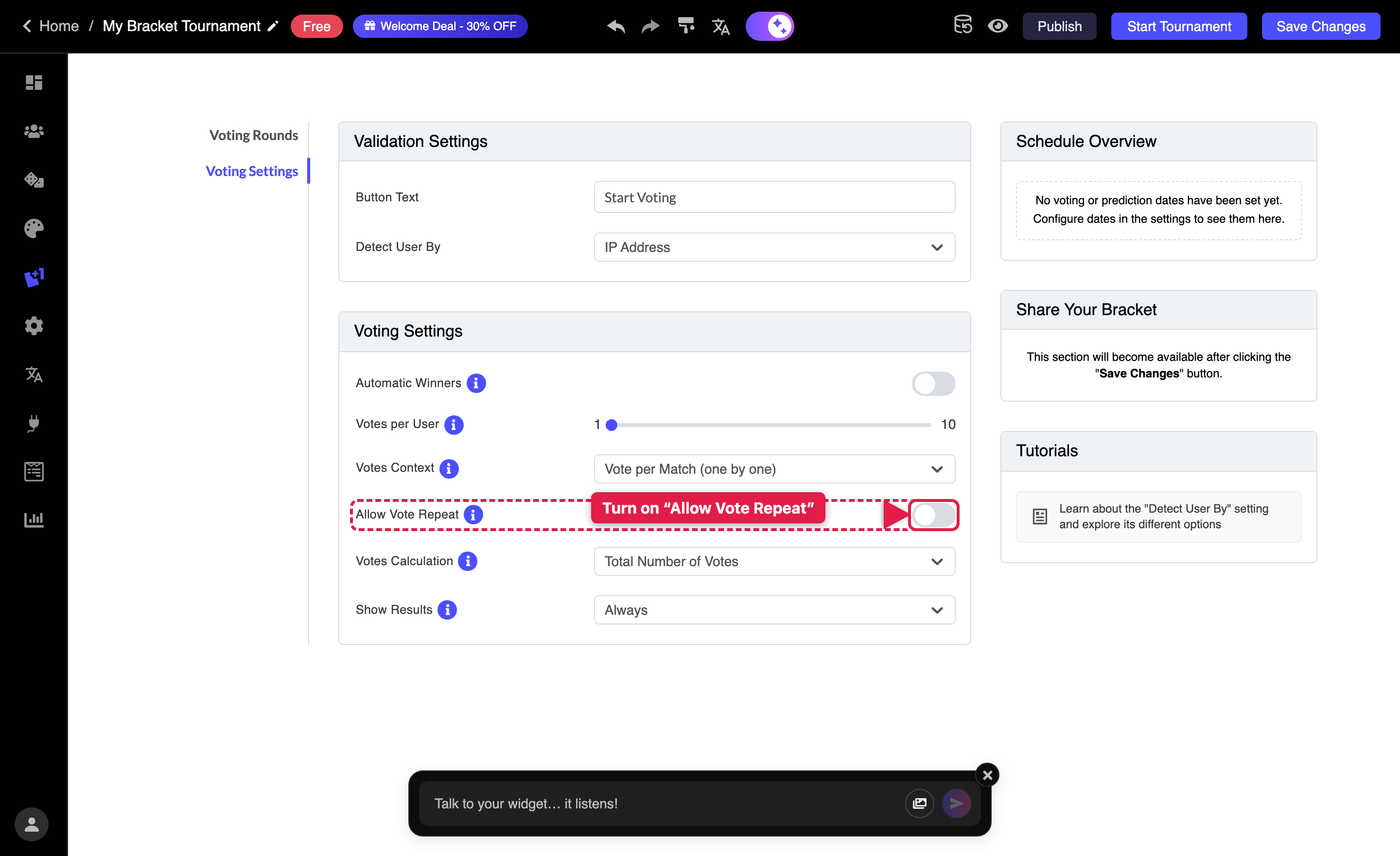
- Go to the Votes tab, then open the Voting Settings sub-tab.
- Find the Allow Vote Repeat switch and turn it on.
- A new Vote Repeat Period dropdown appears. Choose how often votes should reset:
- Hour — users can vote again every hour
- Day — once per day
- Week — once per week
- Month — once per month
- Your changes save automatically. Publish or update your bracket to make the change live.
Tips
- Pair Vote Repeat with the Show Results setting so returning voters can see how the standings change over time.
- To limit how many votes each user gets per period, use the Votes Per User slider in the same tab.
- If you'd rather votes never reset, simply leave Allow Vote Repeat turned off.
Related: How to Enable Users to Vote Multiple Times on the Brackets Widget.